Notes in the margin, for the web.
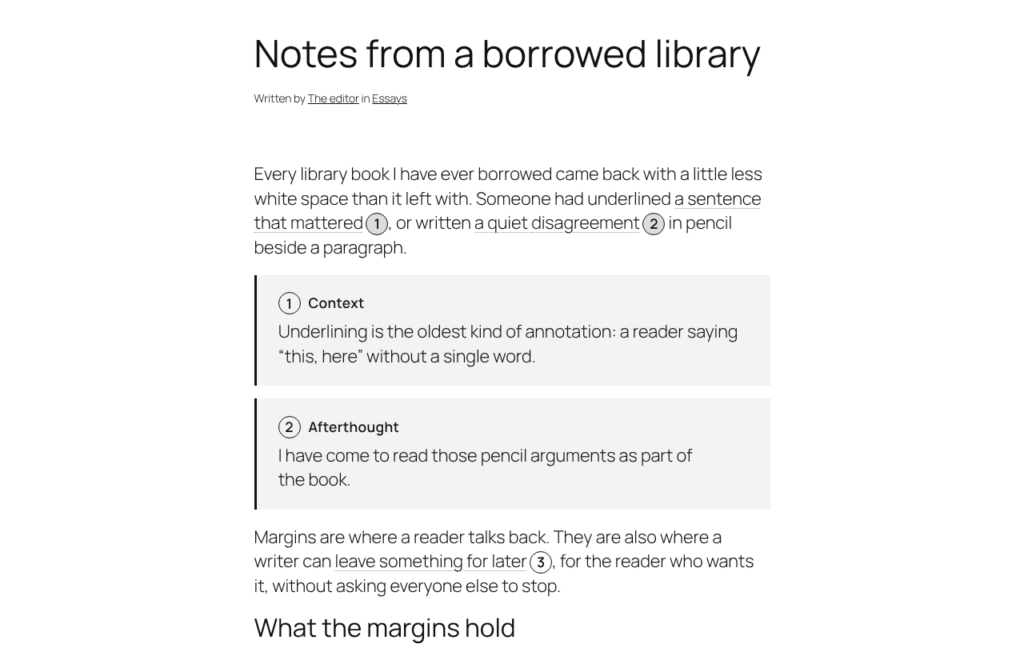
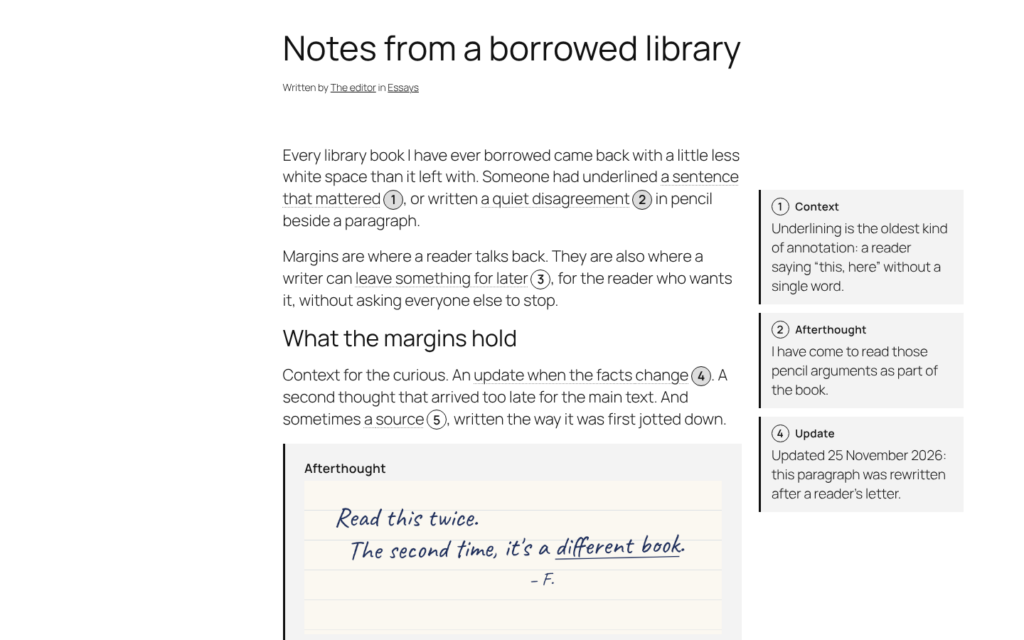
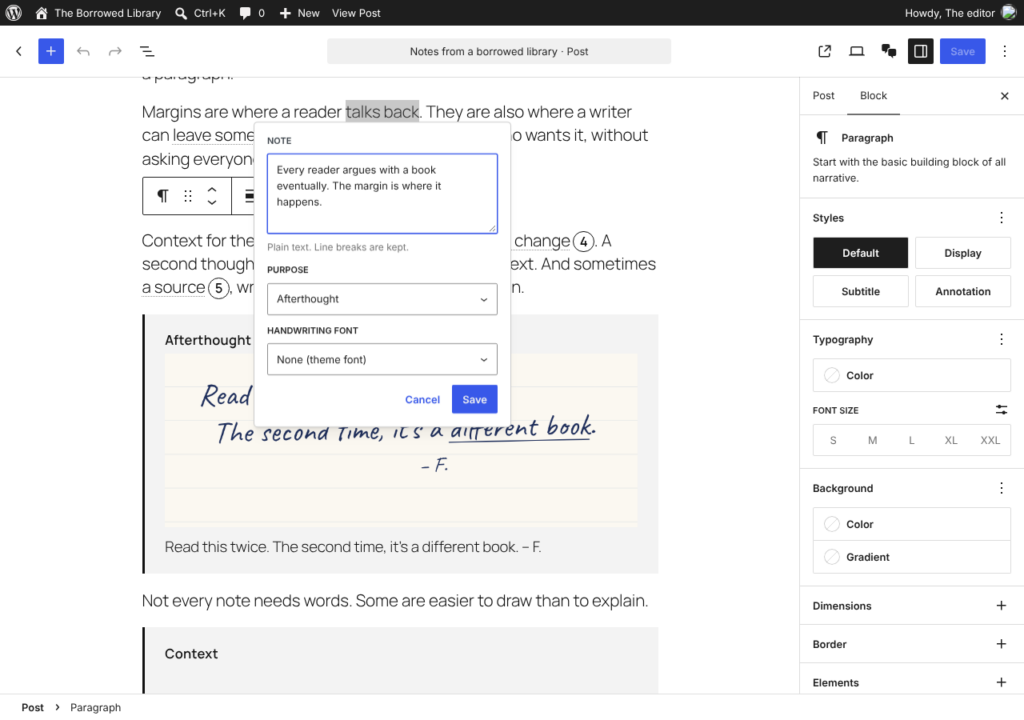
Inkaside is a free WordPress plugin that lets you attach notes to any phrase in your writing. You highlight a sentence in the editor and add your note. Readers see a small numbered marker and open the note right where they’re reading: in the text, in the margin, or as a popover. They never jump to the bottom of the page.
What you can do with it
- Annotate any phrase. Add context, sources, asides or corrections to paragraphs and headings.
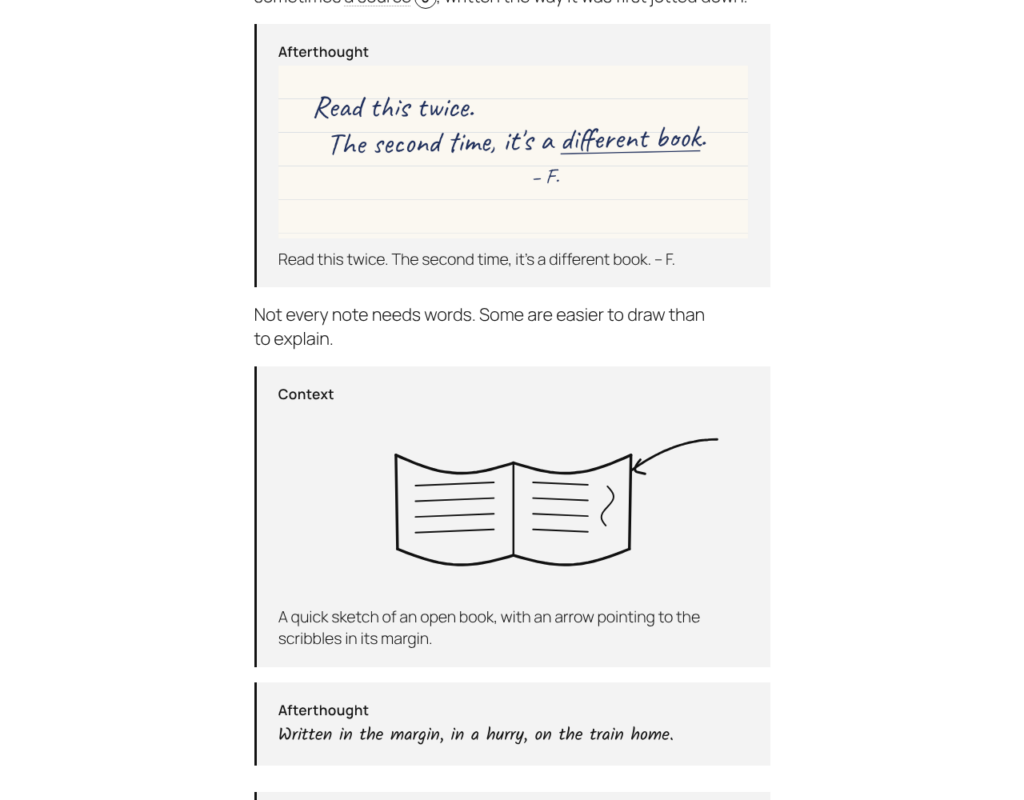
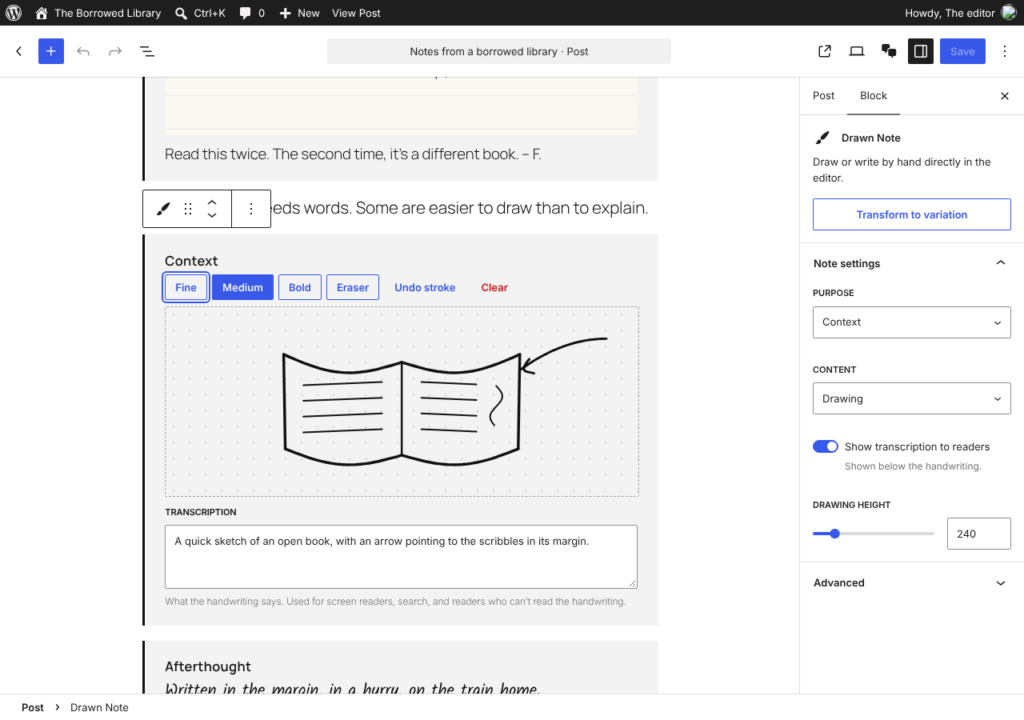
- Write it your way. Notes can be typed, handwritten (as an uploaded image with a transcription for screen readers), or drawn directly in the editor.
- Choose how notes appear. They can open inline, sit beside the text in the margin, or appear in a popover. On small screens they fall back to inline automatically.
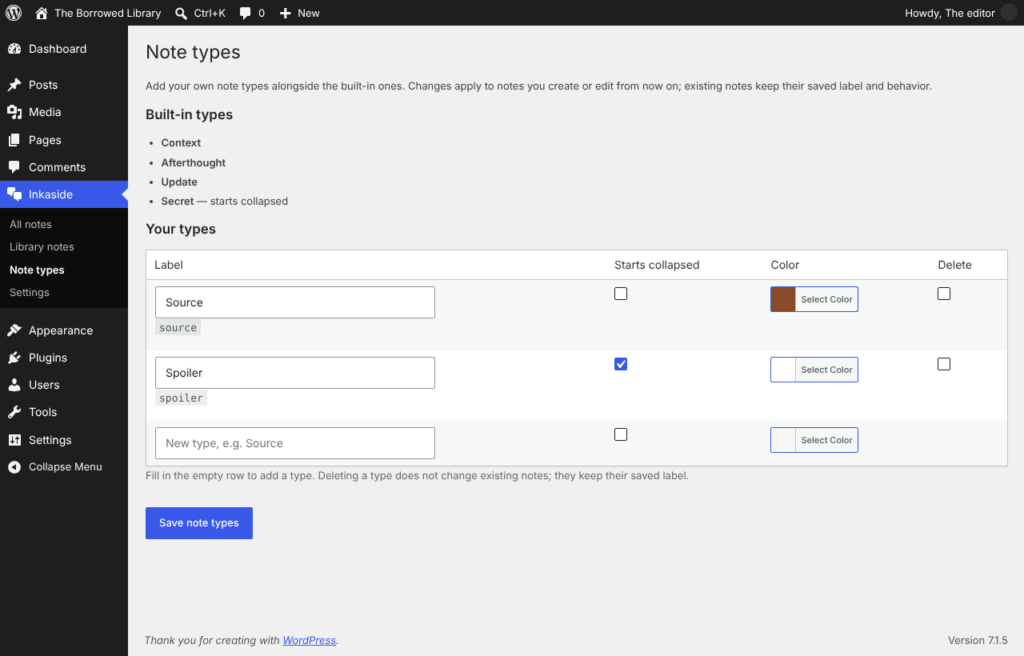
- Make it yours. Create your own note types with their own names and colors, and choose the accent color, marker style and one of three bundled handwriting fonts.
- Reuse what you write. Save a note once in the Notes Library and place it in as many posts as you like. Edit it once and every copy updates.
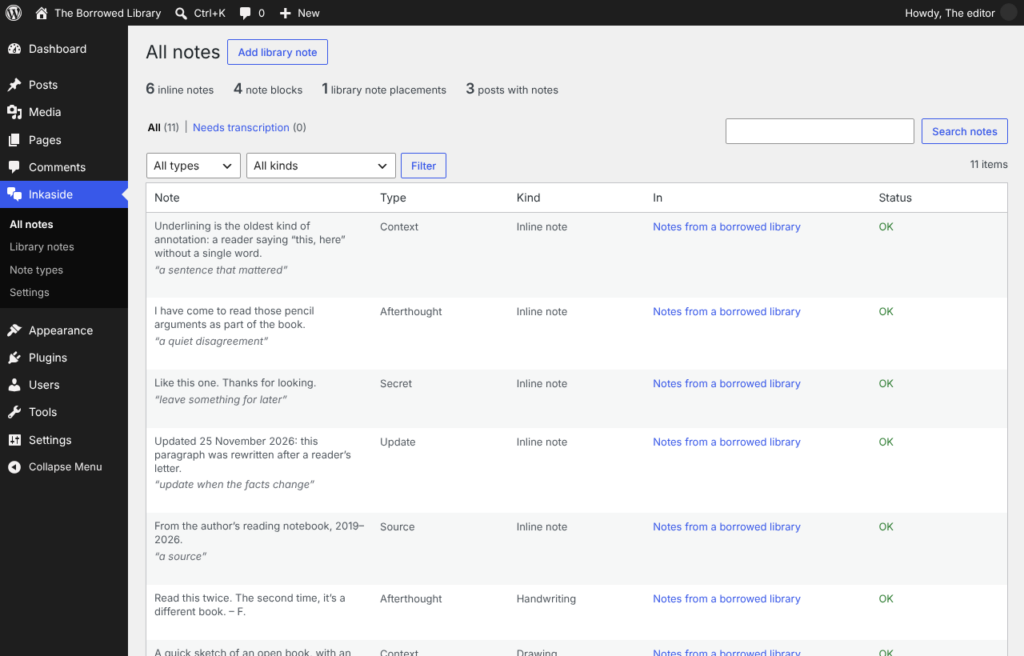
- Keep an overview. A dashboard lists every note on your site, with links that take you straight to each one in the editor.
How it came to be
I’ve always loved books where someone left notes in the margins. On the web, footnotes never felt like that. You click a tiny number, jump to the bottom, and lose your place. I wanted notes that stay next to the sentence they belong to.
I started Inkaside with ChatGPT Codex, which laid the first foundation from my spec. I then continued with Claude, building it out from there: handwriting and drawing, the margin and popover layouts, the Notes Library, custom note types, and the release work for the official directory. The AI wrote most of the code; I set the direction, tested every feature and made the calls.
Two of those calls shaped the plugin. I dropped a planned analytics feature, because a tool about careful reading shouldn’t watch its readers. And I insisted that notes live inside the post itself, so the writing is never locked into the plugin.
The project was first called “Marginalia”. During review, the WordPress.org team flagged that name as a possible trademark, so I renamed everything before launch and came out with a name that’s fully mine. Inkaside 1.0.0 is now live in the official WordPress plugin directory.
FAQ
Is Inkaside free?
Yes. It’s free and open source (GPL), and there’s no paid version.
Does it track my readers?
No. Inkaside sets no cookies, collects no data and makes no outside requests. Even the handwriting fonts ship with the plugin.
What happens to my posts if I uninstall it?
Your articles stay intact. Notes are stored in the post content itself, and uninstalling removes only the plugin’s settings.
Is it accessible?
Yes. Every marker is a real button that works with a keyboard and a screen reader. Handwritten notes carry a text version, and the editor reminds you before publishing if one is missing.
Does it work with my theme?
It works in the WordPress block editor and adapts to your theme’s typography. Colors, spacing and marker style can be adjusted in the settings.
What do I need?
WordPress 6.6 or newer and PHP 7.4 or newer.
Can I translate it?
Yes. Inkaside is fully translation-ready.
Built with: WordPress block editor (Gutenberg) · PHP · JavaScript · ChatGPT Codex · Claude · automated browser and accessibility tests

